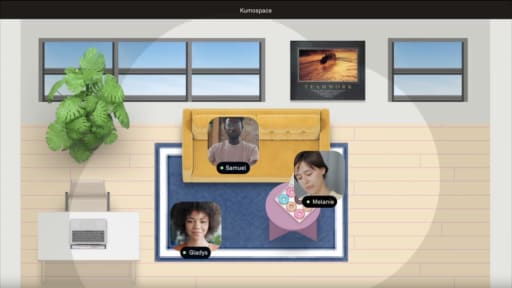
Choosing an oVice alternative isn't just about finding another virtual office. The best platform depends on how your team works, whether that's staying connected throughout the day, running virtual events, or replacing a stack of separate collaboration tools with a single workspace.
This guide compares the best oVice alternatives in 2026, highlighting their strengths, ideal use cases, and key features. Whether you're looking for a persistent virtual office, better collaboration tools, or a more flexible remote work platform, you'll find an option that fits your team's needs.
Key Takeaways
- oVice is a strong choice for Japan-based teams, while Kumospace is generally the best alternative for global remote and hybrid organizations that want an all-in-one virtual office with built-in collaboration tools.
- The right platform depends on your use case. Choose Kumospace for daily collaboration, Remo or SpatialChat for virtual events, and WorkAdventure or Gather if customization or self-hosting is your priority.
- Long-term success depends on adoption, not features alone. Pick a virtual office that integrates with your existing workflow and that your team will use consistently for meetings, communication, and collaboration.
Top oVice Alternatives and Competitors at a Glance
|
Product |
Best for |
Pricing model |
Adoption profile |
Main constraint |
|
oVice |
Japan-first companies wanting a browser-based 2D floor plan with spatial audio |
Concurrent-user and space-based pricing; free plan for up to 5 users; paid plans start at $65/month for 50 users |
Fast adoption for Japanese-speaking teams; browser-only access |
Limited localization outside Japan; fewer built-in engagement features |
|
Kumospace |
Remote and hybrid companies needing an always-on virtual office platform plus virtual events |
Per-seat SaaS; free plan for up to 5 members; Business at $16/user/month |
Web, desktop, iOS, Android; quick onboarding with templates |
Whole-team adoption required to realize full value |
|
Virbela |
Large organizations wanting a persistent 3D campus for all-hands, training, and cross-team presence |
Virbela Go from $10/user/month (5-user minimum); Private Campus from $4,000/month for 150-1,000 users; Enterprise tier custom-quoted |
Desktop app install required; onboarding usually runs through a vendor-led rollout |
Heaviest option in this list, with real hardware and IT requirements, and priced well above browser-based oVice alternatives |
|
Gather Town |
Pixel-art virtual offices and community spaces |
Per-user; paid plans start at $12/user/month billed annually |
Good among technically comfortable teams; Mapmaker tool for deep room design |
Retro aesthetic may feel informal for client-facing use; no free tier for Gather 2.0 |
|
Remo |
Structured networking events, job fairs, academic conferences |
Event-based or subscription; Starter at $299/month |
Strong short-term event adoption; table-based layouts |
Not designed for persistent daily office presence |
|
WorkAdventure |
Open-source, security-sensitive, and developer-led teams |
Free hosted tier capped at 10 simultaneous users; premium tiers remove the cap and are priced per user; Business from $11/month/user, Event from $5/day/user |
Depends on developer resources; uses Tiled map editor for custom maps |
Self-hosting requires server maintenance; can run on Linux servers but needs DevOps capacity |
|
SpatialChat |
Simple workshops, webinars, and casual events |
Free plan up to 12 participants; Business: from $2,800/year for 50 users, scaling by selected user-count tier up to 10,000 users |
Quick setup for one-off events; video circles instead of avatars |
Not built for always-on office presence with larger teams |
oVice vs Kumospace: Head-to-Head Comparison
The table below gives a focused oVice vs Kumospace comparison across the factors most likely to affect a remote or hybrid team's daily work.
|
oVice |
Kumospace |
|
|
Ideal team |
Japan-based or APAC teams wanting a simple browser-based 2D virtual office |
Global remote and hybrid companies needing an everyday virtual office plus client-ready virtual spaces and events |
|
Pricing model |
Concurrent-user and space-size tiers; free plan for 5 users; yen-based billing |
Per-seat SaaS; free plan for small teams; Business and Enterprise tiers with trials available |
|
Strongest capability |
Lightweight 2D proximity audio offices that load quickly in-browser with no install |
Persistent virtual office presence, team chat, and full video conferencing in one unified workspace |
|
Main constraint |
Language, customization depth, and integration range for global office teams |
Needs broad team adoption; positioned above the cheapest minimal virtual office tools on the market |
|
Setup effort |
Quick to try with template 2D layouts and floor plan backgrounds |
Also fast to launch with templates; often involves more thought around room structure for departments |
|
Adoption after month one |
Sticks in teams that already work synchronously on Japan time |
Strongest when leaders move standups, 1:1s, and open office hours into the virtual office instead of separate meeting links |
Where oVice Performs Especially Well as a Virtual Office
oVice is a credible virtual office platform with real strengths for specific geographies and team types. Before recommending any top oVice alternatives, it's worth understanding where oVice earns its place.
- Lightweight, browser-based access. oVice runs entirely in the browser with no desktop client needed. This is appealing for organizations with strict install policies or mixed-device environments spanning Windows and Mac.
- 2D floor plans with proximity audio. oVice customization focuses on floor plan backgrounds and meeting zones. Avatars move around the map, and proximity-based audio makes voices louder as avatars get closer, supporting quick, unscheduled chats similar to walking up to someone's desk.
- Japan-first localization and billing. Native Japanese language, support hours aligned with Japan, and local-currency invoices simplify procurement for domestic companies.
- Pricing for small concurrent groups. Concurrent-user paid plans can be cost-effective if only a subset of a larger company is online at once, compared to per-seat pricing models where every account counts.
oVice fits best for organizations already operating in its core region, and for small teams whose main requirement is lightweight presence with interactive objects and meeting zones rather than a consolidated collaboration stack.
Why Teams Pick Kumospace as an oVice Alternative

Kumospace is a virtual office platform that combines persistent presence with the meeting and messaging tools most teams run separately. This is the practical decision point for companies weighing whether a virtual office sits alongside their stack or replaces part of it.
- All-in-one capabilities. Always-on office, video conferencing, webinars, virtual events, team chat, screen sharing, online whiteboard, and document sharing are all native. You don't need separate licenses for events or meetings. Kumospace is known for strong collaboration features and visual appeal across these tools.
- Spatial audio and realistic office layouts. Kumospace provides realistic office layouts for virtual collaboration, with a polished, corporate-friendly virtual office look. Kumospace uses spatial audio for small- to medium-group interactions, and the floor plans help distributed teams feel co-present during daily work and social events.
- Named customer results. Primerica doubled revenue while saving $100,000 per year in rent using Kumospace for virtual offices. Connexus reported 30 percent higher productivity after moving into Kumospace. These are individual outcomes, not guaranteed benchmarks.
- Small teams to large enterprises. Kumospace hosts virtual offices for companies ranging from startups to brands like NASA, Deloitte, and KPMG, which reduces the risk of outgrowing the platform as your team size grows.
- Virtual events and external meetings. Teams can host onboarding sessions, client workshops, webinars, and academic conferences directly inside Kumospace instead of purchasing a separate virtual events tool.
What Switching Between oVice and Kumospace Actually Entails
Most of the effort in switching between oVice and an alternative like Kumospace is behavioral rather than technical. Admins focus first on data migration and contracts, but the real timeline depends on how quickly managers change their own habits.
- Data portability. Calendar links, room URLs, and attendee data from virtual events need to be recreated. Chat history and recordings may or may not be exportable depending on vendor APIs. Store business-critical files, documents, and spreadsheets in systems like Google Drive, Microsoft OneDrive, or a comparable office suite rather than inside any virtual office platform.
- Contract timing and overlap. Review renewal dates and notice periods. Expect a month or two of overlap while you pilot the new tool with a subset of teams. Negotiate short extensions where needed.
- Retraining and playbooks. Rewrite meeting guidelines and update onboarding materials. Show concrete examples of how to run standups, 1:1s, and virtual events inside the new office.
- Adoption risk. Start with one or two departments. Set clear success metrics: reduced meeting links, higher presence hours, or improved collaboration scores. Collect feedback before migrating the entire company.
Switching works both ways. Moving from Kumospace back to oVice or another competitor follows the same pattern. Reversibility depends more on team habits than on file formats or data exports.
How to Choose the Right oVice Alternative for Your Team
The best oVice alternative depends on your team size, tech stack, and whether you prioritize daily virtual office usage, large 3D campuses, virtual events, or deep customization. Here are five decision rules:
- Always-on virtual office replacing separate tools. If you want a platform that covers video, chat, and meetings for a remote or hybrid company, choose Kumospace from the alternatives table. It runs on Windows, Mac, iOS, and Android, so it works with the devices your team already uses.
- Structured virtual events. If your main need is running conferences, job fairs, or speed networking, pick Remo or SpatialChat. SpatialChat is optimized for workshops and casual events with spatial audio capabilities and allows video circles for easy interaction in meetings. Gather offers customizable office spaces with a pixel-art aesthetic if community feel matters.
- Self-hosted or heavily customized. If your team is highly technical and wants to self-host, go with WorkAdventure, an open-source alternative to oVice that supports custom maps via the Tiled map editor and runs on your own Linux servers. Gather's Mapmaker tool allows deep control over room design if you prefer a managed platform.
- Tight budget, light presence only. Stick with oVice's free plan if you only need occasional co-working for a handful of people. If you need more than five simultaneous users without moving to a paid seat model, WorkAdventure's free tier covers up to ten, with paid plans from $11/month/user.
Test your shortlist by running side-by-side pilots with 5 to 10 real users on each platform. Compare adoption metrics, not feature lists. The tool people actually open every day is the one that creates value for your projects.
Summary
The best oVice alternative depends on what you're replacing. Kumospace fits remote and hybrid teams that want an always-on virtual office plus video conferencing, chat, screen sharing, whiteboard, webinars, and events in one workspace. Virbela fits large organizations running a persistent 3D campus at 150 or more users. Gather fits teams that want pixel-art offices with deep room customization. Remo fits structured conferences and job fairs with table-based networking. SpatialChat fits one-off workshops and webinars. WorkAdventure fits teams that need open-source and self-hosting. oVice itself remains a strong fit for Japan-based teams that want lightweight browser-based presence layered over their existing meeting tools.
Adoption decides the outcome more than features do. Pilot with 5 to 10 real users for a few weeks and compare presence hours rather than spec sheets.
Frequently Asked Questions
Running oVice and another virtual office in parallel is common during evaluations. The cleanest pattern is to move one or two teams into the trial platform for all their daily rituals, including standups, 1:1s, and open office hours, while the rest of the company stays in the original tool. Avoid duplicating the same meeting in both tools because this splits attention and gives you no clean data on either. Pick a clear default per team during the experiment. Plan for several weeks of trial, long enough for people to build new habits and for managers to measure changes in presence, meeting quality, and collaboration frequency.
Adoption depends more on leadership behavior and meeting design than on any single feature difference between oVice and its competitors. When managers move daily standups, 1:1s, and office hours into the virtual office and stop sharing generic video links via email or Slack, employees quickly understand that the new platform is the default workspace. Clear etiquette also shapes outcomes: set expectations around status, availability, and camera use early. Without these norms, the virtual office feels like an obligation rather than a benefit, regardless of which platform you choose.
Most oVice data is configuration, like room layouts and seating plans, so switching mainly affects links and space designs rather than core business files. Recordings, chat logs, and analytics may be exportable via dashboards or oVice support, and you should request current export options before canceling your account. Store business-critical artifacts like documents, slide decks, and Excel spreadsheets in systems like Google Drive or Microsoft OneDrive rather than inside any virtual office platform. This way, provider changes don't risk data loss on the files that matter most to your organization.
Review your oVice renewal dates and notice periods first, then time your new vendor's paid start date to avoid paying for two full overlapping annual contracts. Ask oVice for a month-to-month extension or shorter renewal if you're in the middle of an evaluation, and do the same with any new vendor while you complete rollout. Many organizations accept a brief period of double spend, typically one to two months, to reduce migration risk. This overlap is especially worth it when you're moving critical daily collaboration and meetings into a new virtual office platform and need a safety net.
Compute cost on a per-active-user basis at your actual team size, not on list prices alone. oVice's concurrent-user model and Kumospace's per-seat pricing behave differently as teams grow, so a search for "which is cheaper" without context is misleading. Build a simple spreadsheet with scenarios for 10, 50, and 200 users, plugging in current vendor quotes from oVice and Kumospace. Then add or subtract savings from reduced office rent or removed tools like separate virtual events platforms. Treat time saved and meeting quality as decision factors alongside license fees, since these are often where virtual offices deliver the largest real return on your technology investment.